Your team.
Your workspaces.
One clear plan.
Find workspaces that fit your team’s location, working pattern and budget. Manage employee allocations and keep track of workspace use from your company dashboard.
Create your company account
Register to access your company workspace dashboard.

Need help with your next step?
A clearer view of your team’s workspace needs
Bring employee allocations, working days and budget planning together. The dashboard previews below use illustrative data.
Plan across locations
Bring available locations into a company plan for teams working in different places.
Review your commitments
Keep plan costs in view and confirm each provider’s billing, deposit and contract terms.
Put people in the right places
Assign employees to selected workspaces and working days. Adjust plans as needs change, subject to availability and booking terms.
Plan around your budget
Compare the cost of desk types and working patterns, then review the charges before you commit.
Compare what matters
Look beyond the seat price. Confirm capacity, facilities, access and commercial terms with the provider.
Know what you are paying for
Use eligible credits or direct payment according to your plan. Credit purchases, platform fees and provider workspace charges follow their own terms; a single dashboard does not replace provider agreements or invoices.
Fund eligible bookings
Purchase company credits for the bookings covered by your plan and follow their consumption in your dashboard.
Review plan charges
Pay the applicable charges for your selected plan. Confirm the invoicing entity and payment schedule before committing.
Follow credit consumption
Review recorded credit use by location, desk type and employee. The figures below are an example, not a package or price quote.
From company account to workspace plan
Define your needs
Set locations, team size, working days and a budget.
Add your employees
Bring the people who need workspace into your company account.
Choose your spaces
Compare suitable options and confirm availability and terms.
Assign working days
Plan employee allocations across your selected locations.
Review and confirm
Check the plan, provider terms and payment details before booking.
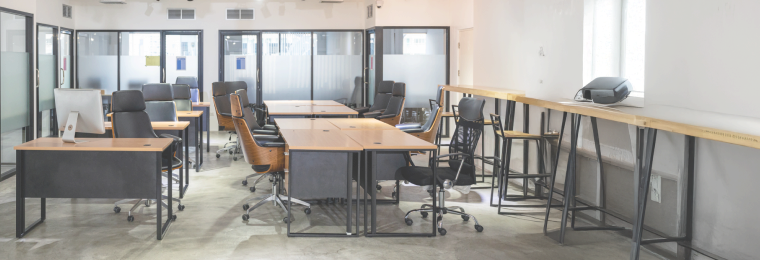
Hot desks
Shared desks for days when your team needs an office.
Dedicated desks
Reserved seats for employees who need a regular base.
Private cabins
Enclosed spaces for teams that need privacy and focus.
Meeting rooms
Rooms for discussions, presentations and team sessions.
Before you create your company plan
How workspace planning, bookings, credits and provider terms fit together.
Give your team a clear workspace plan
Create your company account to start planning locations, working days and employee allocations.
Create company account